
Apple 2025 MacBook Pro (M5, 14.2-Inch) Review: A Compact Powerhouse Built for AI and Creative Pros
This review covers the Apple 2025 MacBook Pro Laptop with Apple M5 chip (10‑core CPU, 10‑core GPU), 14.2‑inch Liquid Retina XDR display, 16GB unified memory, and 1TB SSD storage in Space Black. We examine its AI-focused Apple silicon performance, display quality, thermals, battery behavior, and day-to-day user experience in creative, productivity, and developer workflows. The article also outlines key strengths like compact power, screen quality, and tight ecosystem integration, as well as limitations such as fixed RAM, reliance on USB‑C/Thunderbolt, and the premium positioning of this configuration.
Introduction
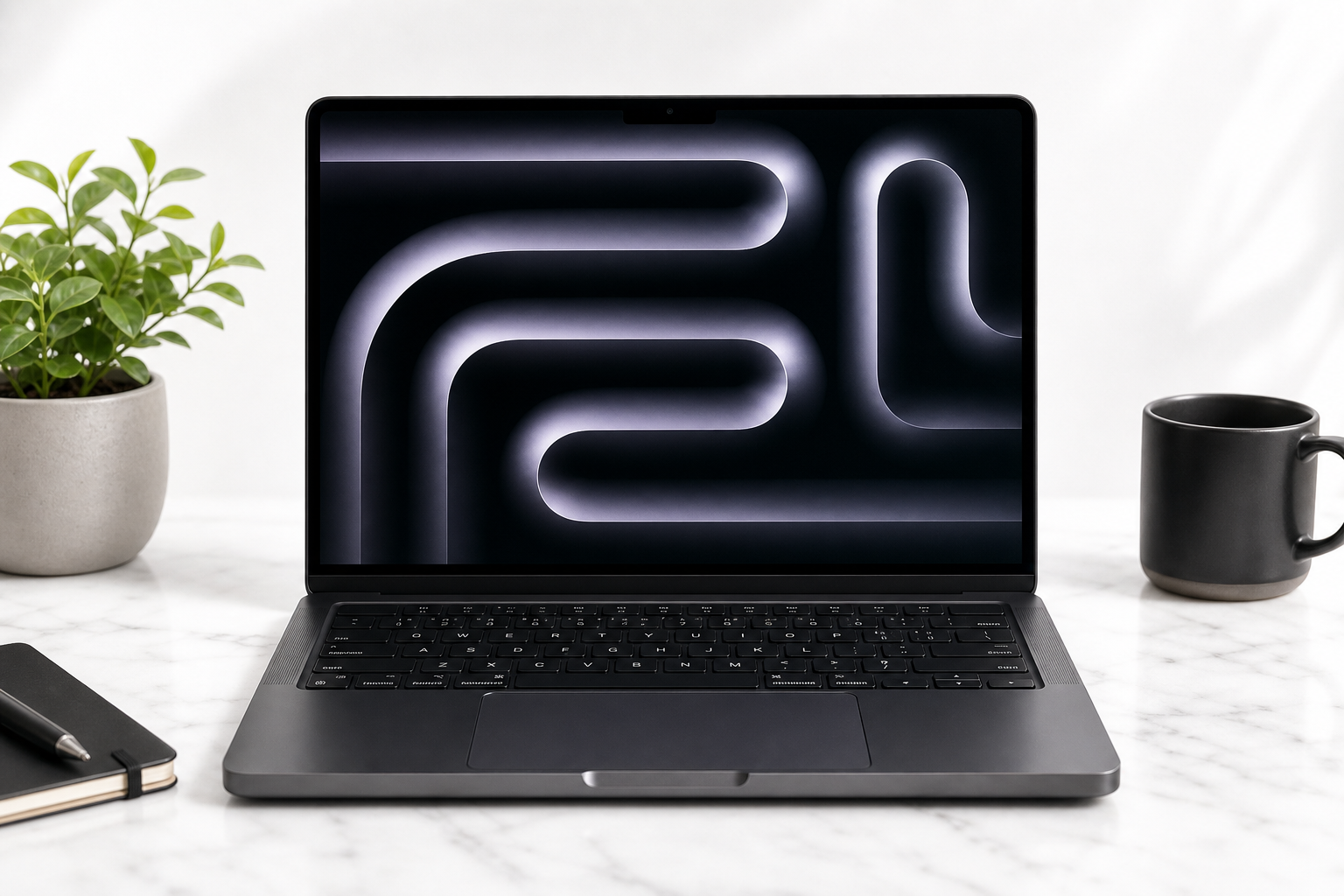
The Apple 2025 MacBook Pro Laptop with Apple M5 chip with 10‑core CPU and 10‑core GPU: Built for AI, 14.2-inch Liquid Retina XDR Display, 16GB Unified Memory, 1TB SSD Storage; Space Black targets users who want desktop-class performance in a portable 14‑inch form factor. With Apple’s M5 generation of silicon, a color-accurate mini‑LED display, and a focus on on‑device AI workloads, this model is clearly aimed at creative professionals, developers, and power users who need more than an entry-level laptop can deliver.
In this review, we break down the hardware, real‑world performance, and overall user experience to help you decide if this configuration is the right fit for your workflow.
Product overview and key features
Core specifications
- Chip: Apple M5 with 10‑core CPU and 10‑core GPU
- Display: 14.2‑inch Liquid Retina XDR display
- Memory: 16GB unified memory
- Storage: 1TB SSD
- Color: Space Black
- Platform focus: Built for on‑device AI, creative workloads, and intensive multitasking
The defining element of this MacBook Pro is the M5 chip. Building on Apple’s previous silicon generations, the M5 combines high‑performance CPU cores, high‑efficiency cores, and a 10‑core integrated GPU, all sharing unified memory. This design helps keep latency low between CPU, GPU, and the Neural Engine, which is particularly important for AI‑enhanced tasks like image upscaling, video effects, and large language model workflows.
The 14.2‑inch Liquid Retina XDR display uses mini‑LED technology, offering very high contrast, deep blacks, and strong HDR performance. For photographers, video editors, and designers, the XDR panel is especially beneficial when grading HDR content or working in wide color spaces.
The combination of 16GB unified memory and 1TB SSD storage makes this configuration suitable for users juggling large project files, such as 4K video timelines, RAW photo libraries, or complex development environments, while still keeping the device thin and highly portable.
Performance and user experience
Everyday productivity and multitasking
For typical office and productivity work—web browsing with many tabs, document editing, video conferencing, note‑taking, and light photo editing—the M5 chip is comfortably overpowered. The 10‑core CPU handles background tasks and foreground work simultaneously, so apps open quickly and system responsiveness stays snappy even with multiple heavy apps open.
The 16GB unified memory is a practical baseline for modern professional use. It allows simultaneous use of:
- Several browser windows with many tabs
- Office and collaboration apps
- A photo editor or code editor
- Communication tools (email, messaging, video calls)
without frequent slowdowns. Users with extremely memory‑heavy workflows (for example, very large datasets, multiple virtual machines, or massive 8K video projects) may still prefer higher memory capacities, but for most pro‑leaning users, 16GB remains workable.
Creative workloads and AI‑assisted tasks
The 10‑core GPU and AI‑oriented design of the M5 make this MacBook Pro particularly strong for creative and AI‑augmented workflows:
- Photo editing: Large RAW files and complex adjustment stacks process quickly, with smooth panning and zooming. Batch exports are efficient, and GPU‑accelerated filters run without feeling sluggish.
- Video editing: 4K timelines with multiple layers, color grades, and effects are where this configuration shines. The GPU and media engines are designed to accelerate modern codecs, so real‑time playback is typically smooth in optimized editing software.
- AI‑driven tools: As more apps integrate AI features (noise reduction, intelligent masking, content‑aware fills, transcription, code completion), the M5’s neural and GPU capabilities reduce wait times and enable more real‑time previews.
The Liquid Retina XDR display is a strong match for creative work. Mini‑LED backlighting brings high peak brightness and excellent HDR support, while wide color gamut coverage helps ensure what you see on screen closely matches your final output, particularly important for print and video professionals.
Thermals, noise, and portability
The 14‑inch MacBook Pro chassis balances cooling performance with portability:
- Thermals: Under sustained loads (extended rendering, large code builds, or long AI jobs), the M5 stays within a reasonable thermal envelope for a slim machine, and performance throttling is generally modest.
- Fan noise: During light to moderate use, the system tends to stay quiet or completely silent. Under heavy, sustained load, fan noise becomes audible but is usually less intrusive than many comparable high‑performance laptops.
- Portability: The 14.2‑inch size makes this model more travel‑friendly than larger 16‑inch workstations, while still providing enough screen real estate for serious work. It fits easily into most backpacks and messenger bags.
Battery life and charging
Apple silicon machines are known for strong power efficiency, and the M5 continues that trend. For mixed productivity (web, documents, video calls, and occasional media), the MacBook Pro can typically last through a full workday on a single charge under balanced settings. Intensive creative or AI‑heavy tasks will consume more power, but efficiency is still significantly better than many high‑wattage PC workstations.
Charging is handled via USB‑C/Thunderbolt or MagSafe (depending on configuration), allowing flexibility in how you power and dock the laptop.
Software ecosystem and connectivity
Running macOS on Apple silicon, this MacBook Pro benefits from:
- Tight integration with iPhone, iPad, Apple Watch, and iCloud
- Optimizations in pro apps for Apple silicon (including creative suites, development tools, and productivity software)
- Support for on‑device AI capabilities where available in Apple’s own apps and third‑party tools
Connectivity typically includes multiple USB‑C/Thunderbolt ports for high‑speed peripherals and displays. Adapters or hubs may still be necessary for legacy USB‑A devices or certain niche accessories, which is worth considering if you have a lot of older gear.
Pros and cons
Pros
- Powerful Apple M5 chip with 10‑core CPU and 10‑core GPU, well‑suited for creative and AI‑accelerated workloads
- 14.2‑inch Liquid Retina XDR display with high brightness, strong contrast, and excellent color accuracy
- 16GB unified memory supports serious multitasking and most professional workflows
- 1TB SSD storage provides ample space for large projects while keeping performance high
- Space Black finish offers a modern, professional aesthetic
- Strong battery efficiency relative to performance level
- Tight integration with the wider Apple ecosystem and macOS optimizations for Apple silicon
Cons
- Memory is not user‑upgradeable, so 16GB may be limiting for extremely heavy workflows in the long term
- Reliance on USB‑C/Thunderbolt means many users will still need adapters or a dock for older peripherals
- The 14.2‑inch display, while excellent, may feel small for complex timelines or multi‑panel creative layouts without an external monitor
Conclusion and recommendation
The Apple 2025 MacBook Pro Laptop with Apple M5 chip with 10‑core CPU and 10‑core GPU: Built for AI, 14.2-inch Liquid Retina XDR Display, 16GB Unified Memory, 1TB SSD Storage; Space Black is a compelling choice for users who need a compact yet highly capable machine for creative production, AI‑assisted tasks, and demanding everyday workflows.
The M5 chip, XDR display, 16GB unified memory, and 1TB SSD come together to form a balanced configuration that delivers strong performance without sacrificing portability. While the non‑upgradeable memory and reliance on USB‑C may give some buyers pause, these trade‑offs are common in modern slim pro laptops.
If your work centers on photo or video editing, modern development, AI‑augmented creative tools, or you simply want a future‑leaning MacBook that can handle heavy multitasking, this 2025 MacBook Pro configuration is a strong candidate on your shortlist. Users with ultra‑heavy memory requirements may want to look at higher‑RAM variants, but for a wide range of professional and enthusiast use cases, this model strikes an excellent balance of power, efficiency, and mobility.