
Apple iPad 2021 (10.2‑inch, Wi‑Fi, 64GB) – Space Gray (Renewed) Review: Still the Best Value iPad for Everyday Use?
This review examines the **Apple iPad 2021 (10.2‑inch, Wi‑Fi, 64GB) – Space Gray (Renewed)**, focusing on its A13 Bionic performance, 10.2‑inch Retina display, camera capabilities, battery life, and what it means to buy the tablet in renewed condition. It covers setup, day‑to‑day usability for browsing, streaming, note‑taking, and light productivity, and evaluates overall reliability, strengths, and limitations such as storage, accessories, and the implications of a refurbished device. The goal is to help buyers decide whether this renewed 9th‑generation iPad is still a smart, cost‑effective choice for casual users, families, and students.
Introduction
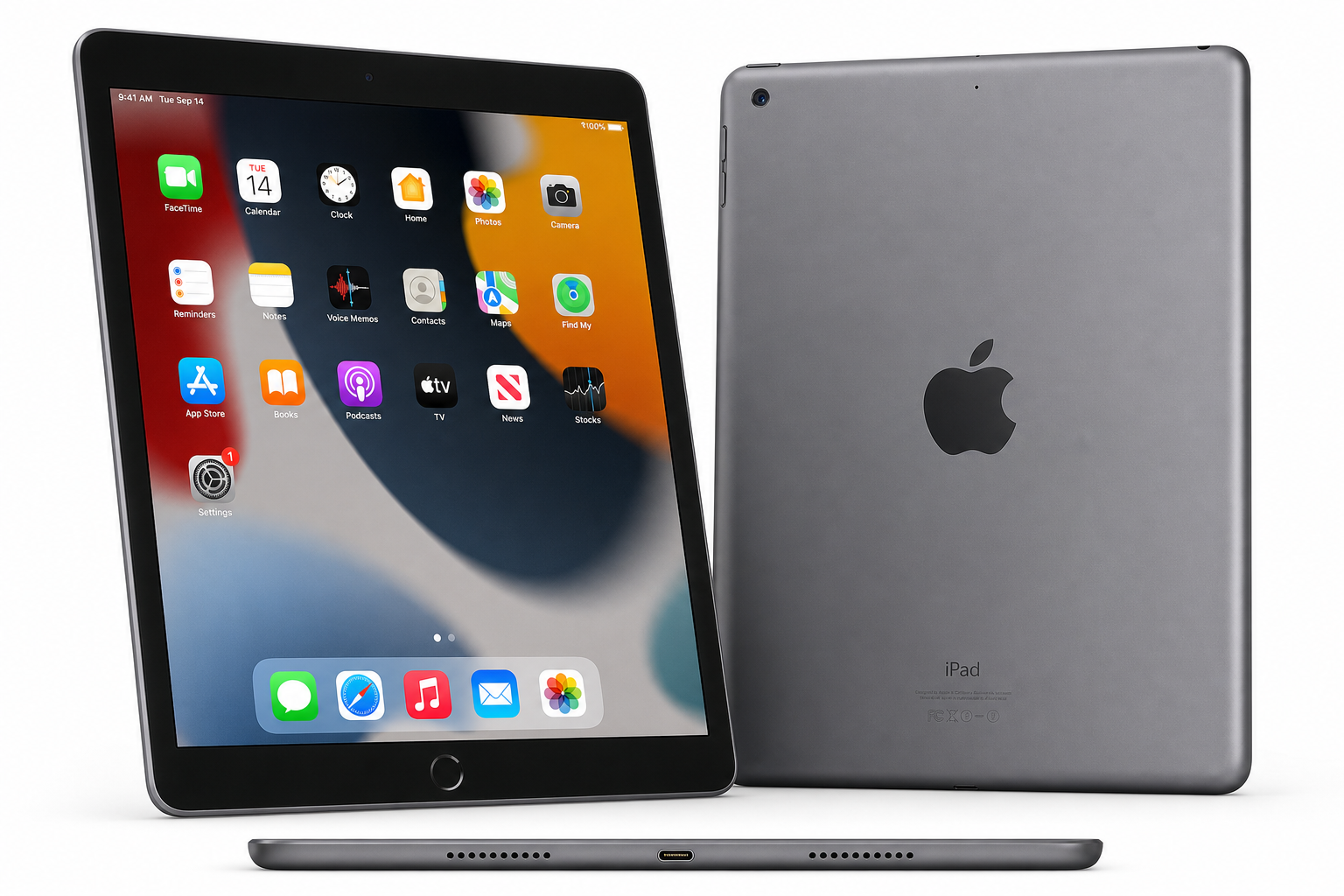
Apple iPad 2021 (10.2-inch, Wi-Fi, 64GB) – Space Gray (Renewed) is the renewed version of Apple’s 9th‑generation iPad. It pairs a 10.2‑inch Retina display with the A13 Bionic chip, 64GB of storage, and Wi‑Fi connectivity, wrapped in Apple’s familiar Space Gray aluminum design.
As a renewed unit, this model aims to deliver the same everyday iPad experience as new hardware, but at a lower environmental and financial cost. That makes it particularly appealing for students, families, and anyone who needs a reliable tablet for browsing, media consumption, and light productivity without jumping to Apple’s more expensive iPad lines.
In this review, we’ll look at what it’s like to set up and live with this specific renewed configuration, and where it still shines in 2026.
Setup / Getting Started
Unboxing and First Impressions
Renewed units typically arrive in plain or non‑retail packaging, but the essentials are the same: the 10.2‑inch iPad, a compatible charging brick, and a Lightning cable. The Space Gray finish and slim bezels give it the same look and feel as a new 9th‑generation iPad.
Because it’s a renewed device, you may notice very minor cosmetic signs of prior use, such as faint hairline scratches. However, reputable refurbishers generally grade these devices to ensure the screen is clean and fully functional and the chassis is free from major dents or cracks.
Initial Setup
Getting started follows Apple’s usual streamlined process:
- Power on and language selection – Hold the top button until the Apple logo appears, then choose language and region.
- Wi‑Fi connection – Connect to a Wi‑Fi network to activate the device and sign into or create an Apple ID.
- Restore or set up as new – You can restore from iCloud, another iPad/iPhone, or set the tablet up from scratch.
- Biometric security – Configure Touch ID in the Home button for easy unlocking and app purchases.
- Essential apps – Apple’s built‑in apps (Safari, Mail, Notes, Photos, Messages, etc.) are preinstalled, and you can add more from the App Store.
Even for first‑time iPad owners, the process is straightforward and typically takes only a few minutes once Wi‑Fi is connected.
Renewed‑Specific Considerations
With renewed hardware, it’s worth doing a brief quality check during setup:
- Inspect the display at different brightness levels for bright or dead pixels.
- Test speakers, cameras, and microphones with a video call or sample recording.
- Confirm battery health through real‑world usage over the first week.
Any serious defects should be addressed promptly under the seller’s return or renewed‑product guarantee.
Daily Usage
Browsing, Social, and Media
The 10.2‑inch Retina display (2160 × 1620) remains pleasant for web browsing, reading, and social media. Text is crisp, colors are accurate, and the size hits a sweet spot between portability and comfort for longer sessions.
Streaming services and video playback are a strong point: the screen’s brightness and color reproduction work well for watching movies and TV in typical indoor conditions, and the stereo speakers provide clear, adequately loud audio for personal use.
Productivity, Notes, and Study
Paired with a basic Bluetooth keyboard or a keyboard case, this iPad can serve as a light productivity device:
- Writing emails and documents in apps like Mail, Pages, Word, or Google Docs.
- Managing calendars, tasks, and cloud documents.
- Joining video calls using the front camera.
For students, the combination of Apple Notes, third‑party note‑taking apps, and optional stylus support turns the iPad into a versatile digital notebook for class materials, PDFs, and annotated slides.
Casual Gaming and Apps
The A13 Bionic chip still handles a wide range of everyday apps and casual to moderately demanding games from the App Store. Titles with 2D or mid‑range 3D graphics generally run smoothly, though the latest graphically intensive games may require lower settings than newer iPads.
Multitasking via Split View and Slide Over is supported, so you can keep a browser and notes app open side by side or float a messaging app over a primary app. While not as fluid as on Apple’s pro‑level iPads, it is more than sufficient for typical daily use.
Mobility and Battery Life
The 10.2‑inch size keeps the iPad portable: it fits into most backpacks and larger handbags and is easy to hold in one hand for reading. Typical single‑charge endurance comfortably supports a full day of mixed use (web, reading, video, and light productivity), though heavy gaming or long video calls will drain the battery faster.
Because this is a renewed device, actual battery performance depends on how the refurbisher manages component replacement. Many reputable renewal programs aim to ensure the battery meets a minimum health threshold; in practice, users can expect solid, day‑long performance for mainstream tasks.
Performance & Reliability
A13 Bionic in 2026
The A13 Bionic chip that powers the 2021 iPad was originally introduced in earlier iPhone models. In this tablet, it continues to offer:
- Snappy everyday performance in the system UI and common apps.
- Responsive multitasking with two apps open and occasional app switching.
- Capable graphics for casual and some mid‑range games.
For web browsing, media consumption, reading, and mainstream productivity apps, the A13 still feels responsive. Only users with heavier workflows—such as frequent video editing, working with large design files, or intensive 3D gaming—may notice its age more sharply compared to the latest iPad chipsets.
Cameras and Audio
The front camera is a 12MP Ultra Wide sensor that supports Center Stage, which automatically adjusts framing to keep you centered during supported video calls. This is particularly useful for remote learning, family calls, or video conferences, making the renewed 2021 iPad feel more modern than its release date suggests.
The rear 8MP wide camera remains adequate for scanning documents, occasional photos, or recording quick clips in good lighting. While it doesn’t compete with contemporary smartphone cameras, it’s perfectly serviceable for everyday utility tasks.
Speakers deliver clear stereo sound in landscape orientation. They are not a replacement for dedicated speakers or headphones, but they are more than sufficient for casual listening.
Reliability of a Renewed Unit
With any renewed device, reliability depends on both original build quality and refurbishment standards. Apple’s iPad hardware is generally robust, and common signs of refurbishment include:
- Freshly cleaned chassis and display.
- Replacement of particularly worn components (such as batteries or charging cables) in line with the refurbisher’s policies.
In normal conditions, users can expect the 2021 iPad to remain a stable, reliable tablet for years, provided the operating system continues to receive updates for this generation.
What Works Well
-
Excellent everyday performance
The A13 Bionic still delivers responsive performance for browsing, streaming, reading, messaging, and productivity apps. -
High‑quality 10.2‑inch Retina display
Text, photos, and video look sharp and natural, making this a comfortable device for reading and media consumption. -
Mature, extensive app ecosystem
Access to the full iPadOS App Store means a broad selection of education, productivity, creative, and entertainment apps. -
Center Stage front camera
The 12MP Ultra Wide front camera with Center Stage support provides a more engaging video‑call experience, particularly useful for students and remote workers. -
Good battery life for typical use
Even as a renewed unit, the iPad generally supports a full day of mixed usage on a single charge in everyday scenarios. -
Value from renewed status
Buying renewed extends the life of existing hardware, reducing electronic waste while typically lowering the cost of entry into the iPad ecosystem.
What Could Be Improved
-
Limited 64GB storage for heavy users
While 64GB is enough for many casual users, it can feel tight for those who store lots of offline media, large games, or extensive creative projects. Cloud storage helps, but power users may feel constrained. -
Aging processor for intensive workloads
The A13 Bionic is still capable, but newer Apple chips are noticeably faster, especially in multitasking and high‑end gaming. Users with demanding workflows may benefit more from a newer iPad line. -
Lightning connector instead of USB‑C
Unlike Apple’s newer tablets, this iPad uses a Lightning port, which is less convenient for users hoping to standardize on USB‑C accessories. -
Basic accessory support
It supports the 1st‑generation Apple Pencil and standard Bluetooth keyboards rather than the more modern Apple Pencil and Magic Keyboard systems found on higher‑tier iPads. -
Variability in renewed condition
Even under strict refurbishment standards, cosmetic condition can vary slightly from unit to unit. Some users may prefer to buy new if they are particularly sensitive to minor signs of previous use.
Overall Impression
The Apple iPad 2021 (10.2‑inch, Wi‑Fi, 64GB) – Space Gray (Renewed) remains a compelling option in 2026 for users who value practicality over having the absolute latest hardware.
Its combination of a sharp 10.2‑inch Retina display, still‑competent A13 Bionic chip, reliable battery life, and strong app support makes it well‑suited for:
- Students who need a capable tablet for note‑taking, reading, and remote classes.
- Families looking for a shared device for browsing, media, and light gaming.
- Casual users who primarily stream content, surf the web, and handle email or productivity tasks.
The main trade‑offs are the older processor, 64GB storage ceiling for heavy local content, and the Lightning connector, which anchors it in a previous generation of accessories. However, for many everyday workflows, those limitations are modest compared to the practical benefits and value that a renewed unit offers.
If you’re seeking a well‑rounded, affordable way into the iPad ecosystem and are comfortable with a refurbished device, the renewed 2021 10.2‑inch iPad in Space Gray remains one of the most balanced choices available.