
Apple iPad Early 2018 (Renewed) Review: Still a Smart Budget-Friendly Tablet in 2026
This review examines the **Apple iPad Early 2018 (9.7‑inch, Wi‑Fi, 32GB) – Space Gray (Renewed)**, focusing on its performance, display quality, battery life, software support, and the trade‑offs of buying a renewed tablet in 2026. We look at who this device best suits—such as students, casual users, and light productivity users—along with its main benefits, key considerations, pros and cons, and a few current‑generation iPad alternatives to help readers decide whether this 6th‑generation, refurbished model still represents good value.
Product Summary
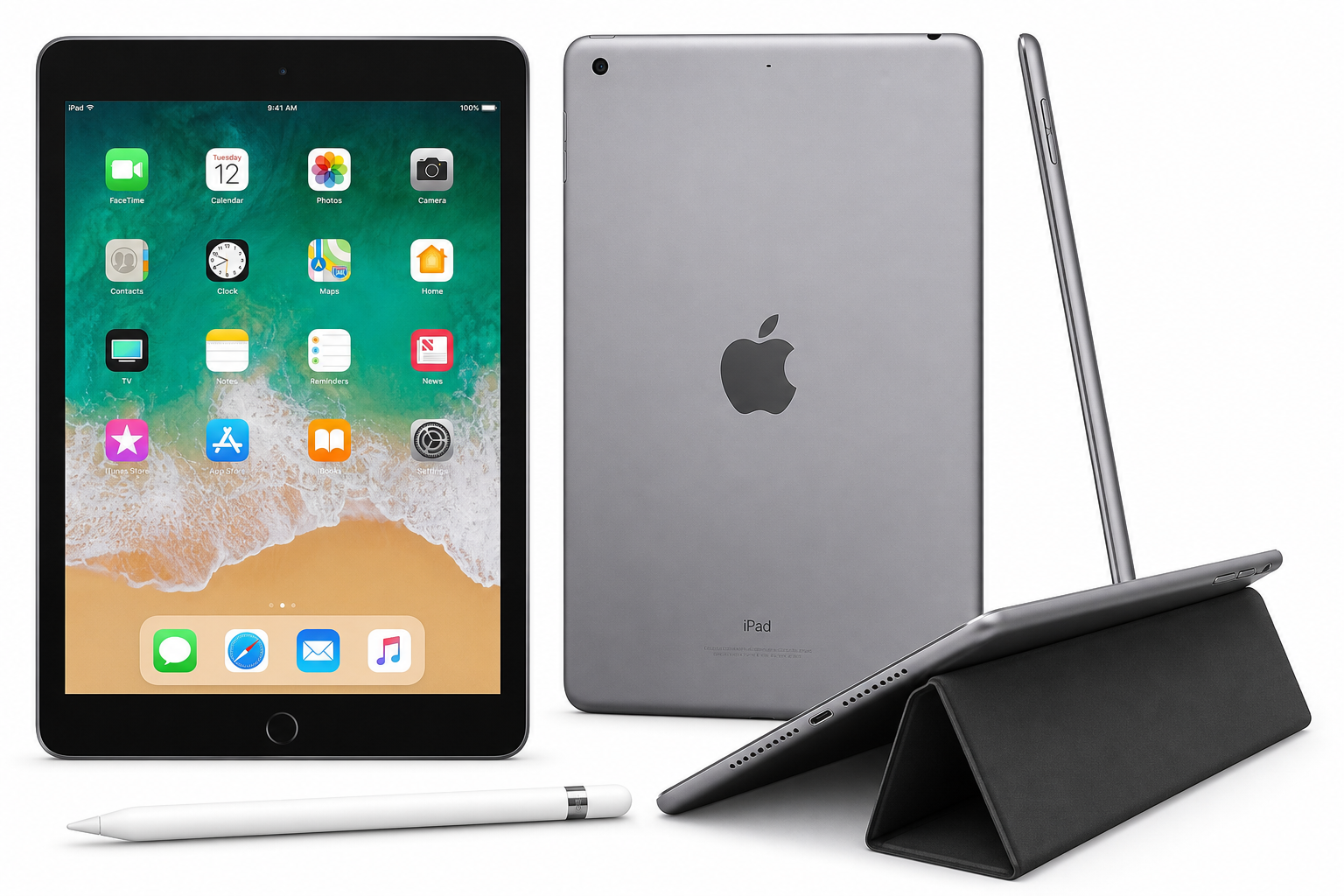
Apple iPad Early 2018 (9.7-inch, Wi-Fi, 32GB) – Space Gray (Renewed) is Apple’s 6th‑generation iPad in a refurbished form, offering a 9.7‑inch Retina display (2048 × 1536 at 264 ppi), the A10 Fusion chip with M10 coprocessor, 32GB of storage, and Wi‑Fi connectivity.
Despite its age, this model still handles everyday tasks such as web browsing, streaming, note‑taking, and light productivity reliably. It supports the 1st‑generation Apple Pencil and Bluetooth keyboards, runs modern versions of iPadOS (subject to Apple’s current support window), and retains hallmark Apple features like Touch ID and a solid aluminum build.
Because it is renewed, each unit has been inspected and restored to a functional condition by the seller or a third‑party refurbisher. Buyers should expect minor cosmetic wear but full core functionality.
Target Users
The renewed 2018 9.7‑inch iPad is best suited for:
-
Students and learners
- Ideal for note‑taking, reading PDFs and eTextbooks, accessing LMS portals, and doing research.
- Apple Pencil support makes it a credible digital notebook for handwritten notes and annotations.
-
Casual home users
- Great for web browsing, email, social media, video streaming, and casual gaming.
- Simple interface and long battery life make it suitable for family use or as a shared household tablet.
-
Professionals with light productivity needs
- Works well as a portable device for email, office apps, remote meetings, and document review.
- When paired with a Bluetooth keyboard, it can serve as a lightweight travel workstation.
-
Children’s or secondary device
- Strong option as a kid’s tablet for educational apps and streaming, or as a backup device to a newer primary iPad.
This tablet is not aimed at power users who edit 4K video, work with very large creative projects, or need the latest Apple silicon performance.
Main Benefits
1. Solid performance for everyday tasks
The A10 Fusion chip (with M10 coprocessor) was a high‑end mobile SoC at launch and still offers respectable performance for typical productivity and entertainment:
- Smooth web browsing, email, and social media.
- Comfortable playback of HD and Full HD streaming content.
- Support for most mainstream apps, from office suites to note‑taking and drawing tools.
- Casual to moderately demanding games generally run fine, though not as fast as on recent iPads.
2. High‑quality 9.7‑inch Retina display
The 9.7‑inch Retina screen remains one of the product’s strongest points:
- 2048 × 1536 resolution at 264 ppi for crisp text and graphics.
- IPS panel with wide viewing angles, suitable for media consumption or sharing the screen.
- Good color reproduction for photos, videos, and creative apps.
While newer iPads may offer higher brightness, larger screens, or laminated displays with better anti‑reflection, the 2018 panel is still excellent for reading, watching, and drawing.
3. Apple Pencil (1st generation) support
Support for the 1st‑generation Apple Pencil is a major advantage in this price and age bracket:
- Enables handwritten notes, sketches, diagrams, and annotations.
- Works with a wide ecosystem of note‑taking and creative apps.
- Makes the device viable as an affordable digital notebook for students and hobbyist creators.
4. Refined software ecosystem and updates
Running iPadOS (version depending on Apple’s support status at the time of purchase), this iPad benefits from:
- Access to the extensive iPadOS App Store ecosystem.
- Regular security patches and feature updates while support lasts.
- Tight integration with other Apple devices (iCloud, Handoff, Notes, Messages, etc.).
5. Long battery life
The 2018 iPad is specified for up to around 8–10 hours of typical use per charge under light to moderate workloads. Actual figures will vary with usage patterns and the condition of the renewed battery, but many users find it sufficient for a standard work or school day.
6. Mature, proven hardware design
The familiar unibody aluminum chassis offers:
- A sturdy, premium feel compared with many plastic Android tablets.
- Reasonable durability for daily carry.
- A form factor that remains compact and lightweight enough for one‑handed reading.
Key Considerations
Before purchasing the Apple iPad Early 2018 (9.7-inch, Wi-Fi, 32GB) – Space Gray (Renewed), keep the following points in mind:
1. Age and software support window
This is a 2018 6th‑generation model. While still serviceable, it is closer to the end of Apple’s typical update lifespan than a current‑generation iPad. Prospective buyers should:
- Check which iPadOS versions are currently supported for this device.
- Understand that major OS updates may conclude sooner than for newer iPads, though security updates may continue for some time.
If you want the longest possible software support, a newer generation may be a better choice.
2. Renewed condition and variability
As a renewed product rather than brand‑new:
- Minor cosmetic imperfections (small scratches, scuffs, etc.) are common but should not affect function.
- Battery health may vary, though most reputable refurbishers set a minimum capacity threshold.
- Inclusions (charging cable, charger, packaging) can differ from factory‑new units.
It’s important to review the specific seller’s refurbishment standards, return policy, and warranty terms on the Amazon product page.
3. 32GB storage limitations
The 32GB configuration is adequate for light users focused on streaming and cloud‑based workflows, but it may feel restrictive if you:
- Install a large number of apps or games.
- Store many offline videos, photos, or high‑resolution files.
Using cloud storage (iCloud, Google Drive, OneDrive, etc.) and periodically managing local content can mitigate this, but users wanting more headroom may prefer higher‑capacity models.
4. Camera hardware is basic by modern standards
The iPad 2018 includes:
- 8 MP rear camera capable of 1080p video.
- 1.2 MP front‑facing FaceTime HD camera for video calls.
These cameras are sufficient for video conferencing, document scanning, and casual photos, but they lag behind the quality of newer iPads and current smartphones.
5. Older port and accessory ecosystem
This model uses a Lightning connector rather than USB‑C. That means:
- Many modern USB‑C accessories are not directly compatible without adapters.
- You may already have Lightning accessories if you own older iPhones or iPads, which can be convenient.
If you want full alignment with Apple’s more recent USB‑C ecosystem, consider a newer iPad generation.
Pros
- Good everyday performance from the A10 Fusion chip for browsing, streaming, office apps, and most mainstream games.
- High‑quality 9.7‑inch Retina display with sharp text and vibrant colors.
- Apple Pencil (1st gen) support expands use cases for note‑taking and drawing.
- Strong build quality with an aluminum unibody that still feels premium.
- Long battery life suitable for a full day of moderate use in many scenarios.
- Access to iPadOS and the Apple ecosystem, including cloud sync and continuity features.
- Renewed status can offer meaningful savings versus buying an equivalent model new (where available).
Cons
- Aging platform: As a 2018 model, it is closer to the end of its iPadOS major‑update lifespan than newer iPads.
- Limited 32GB storage, which can fill quickly with apps, games, and offline media.
- Non‑laminated display (air gap between glass and LCD) compared to newer premium iPads, resulting in slightly more noticeable reflections and less “ink‑on‑glass” feel.
- Basic cameras by 2026 standards, adequate but not impressive for photography or low‑light use.
- Lightning port instead of USB‑C, which may require adapters or separate accessories if you have moved fully to USB‑C.
- Condition variability inherent to any renewed/refurbished device, depending on refurbisher quality and prior use.
Alternatives
If you like the concept of an affordable iPad but want to compare options, consider looking at:
-
Newer entry‑level iPad generations (10.2‑inch series)
More recent base iPad models typically offer:- Improved processors for better multitasking and gaming performance.
- Larger 10.2‑inch or bigger displays.
- Longer remaining software‑support windows.
-
Other renewed or refurbished iPads
Renewed versions of slightly newer generations may offer:- Faster chips (e.g., A12 or newer) with better long‑term viability.
- Updated designs and, in some cases, USB‑C ports.
-
Mid‑range Android tablets
Some Android tablets in the same general budget range provide:- Larger screens and expandable storage via microSD.
- Deep integration with Google services.
- However, app optimization and long‑term update policies vary significantly by manufacturer.
When comparing, weigh performance, storage, expected software lifespan, and accessory compatibility against your budget and intended usage.
Conclusion
The Apple iPad Early 2018 (9.7-inch, Wi-Fi, 32GB) – Space Gray (Renewed) remains a compelling option in 2026 for buyers seeking a reliable, well‑built tablet for everyday tasks at a lower cost than current‑generation models.
Its strengths lie in the sharp Retina display, solid A10 Fusion performance for everyday use, Apple Pencil support, and the maturity of iPadOS and the broader Apple ecosystem. On the other hand, its age, limited 32GB storage, basic cameras, and Lightning‑based design mean it is best suited for users with moderate performance needs and realistic expectations.
If your primary goals are reading, web browsing, streaming, note‑taking, light productivity, and occasional creative work, and you are comfortable with the constraints of a renewed 2018 device, this iPad can still be a smart, cost‑effective choice. Those wanting the longest software support horizon, more storage, or USB‑C connectivity should, however, seriously consider a newer iPad generation before deciding.