
Apple MacBook Air Late 2020 (M1, Renewed) Review: Still the Sweet Spot for Everyday Mac Users
This review covers the renewed **Apple MacBook Air Late 2020 with Apple M1 Chip (13.3 inch, 8GB RAM, 256GB SSD) Space Gray**. We explore who it’s for, the main benefits of the M1 architecture, real‑world performance, battery life, display quality, and the trade‑offs of buying a renewed laptop. We also outline key considerations such as RAM and storage limitations, lack of active cooling, and the uncertainties inherent to refurbished hardware, then compare it against likely alternatives like newer M‑series MacBook Air and Pro models. The goal is to help buyers decide whether this specific renewed configuration is still a smart, good‑value choice for their workloads and usage patterns.
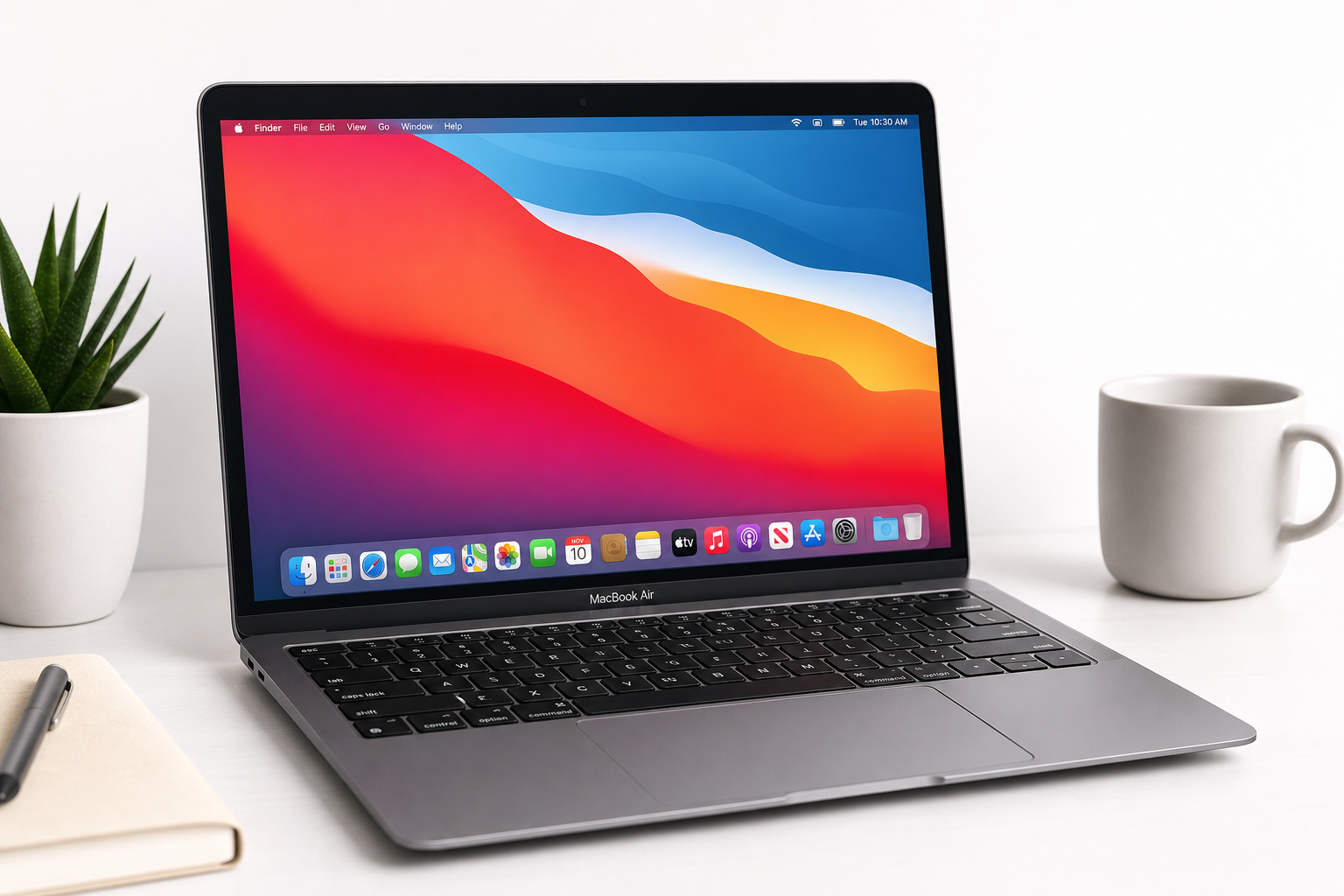
Product Summary
The Apple MacBook Air Late 2020 with Apple M1 Chip (13.3 inch, 8GB RAM, 256GB SSD) Space Gray (Renewed) is a refurbished version of Apple’s first MacBook Air built on the in‑house M1 silicon. This 13.3‑inch ultraportable pairs an 8‑core M1 chip with 8GB of unified memory and a 256GB SSD in Apple’s classic wedge‑shaped aluminum chassis.
Despite being a few generations old, the M1 MacBook Air remains highly capable for everyday and moderately demanding tasks. The renewed listing typically indicates a professionally inspected and tested unit, with cosmetic and functional standards set by the refurbishing program. For many users who don’t need the latest M‑series chip, this configuration can deliver an excellent balance of performance, battery life, and portability at a lower cost than current‑generation models.
Key highlights:
- 13.3‑inch Retina display with sharp text and vibrant colors
- Apple M1 chip with integrated GPU and unified memory for snappy everyday performance
- 8GB RAM and 256GB SSD suitable for mainstream workflows
- Fanless design for silent operation
- Renewed condition to reduce e‑waste and improve value versus new
You can view full details and current availability directly on Amazon: https://www.amazon.com/dp/B08PNQTYV2
Target Users
This renewed Late 2020 MacBook Air is best suited to:
- Students who need a lightweight laptop for note‑taking, research, video calls, and light creative work.
- General home users handling web browsing, email, office documents, streaming, and photo organization.
- Writers, journalists, and knowledge workers who value a comfortable keyboard, long battery life, and a portable form factor.
- Developers working on lightweight workloads such as scripting, web development, or learning to code, especially if large local toolchains or VMs are not required.
- Remote workers and frequent travelers who prioritize a thin, reliable machine with good battery life and enough power for productivity apps and conferencing.
It is less ideal for:
- Users who regularly edit 4K video, handle large 3D scenes, or require heavy parallel compute.
- Professionals who need more than 8GB RAM for large datasets, complex development environments, or extensive multitasking.
- Buyers who prefer brand‑new hardware with full original‑length warranties rather than renewed/refurbished stock.
Main Benefits
1. Strong Everyday Performance from the M1 Chip
The M1 still offers impressive performance for common workloads. Its 8‑core CPU and integrated GPU handle multitasking, office apps, and most creative tools smoothly, especially when paired with macOS optimizations for Apple silicon.
For typical tasks—multiple browser tabs, productivity suites, streaming, and light photo editing—the system remains responsive, even on the 8GB RAM configuration, thanks to the unified memory architecture and fast SSD.
2. Excellent Battery Efficiency
One of the standout traits of the M1 MacBook Air line is power efficiency. Users generally report extended unplugged use for mixed office and web workloads, making it a strong option for students and mobile professionals who need to work away from power outlets for long stretches.
3. Silent, Fanless Design
This model uses passive cooling. There is no internal fan, which means:
- Completely silent operation under typical loads.
- No fan noise during video calls or in quiet environments like libraries.
Under sustained heavy workloads, the chassis may warm up and performance can throttle slightly compared to fan‑cooled models, but for the target audience, silent operation is a major benefit.
4. Quality Retina Display and Build
The 13.3‑inch Retina display offers crisp text and accurate colors suitable for everyday use and light creative work. Paired with Apple’s well‑known aluminum unibody design, the laptop feels solid and premium despite its thin, 13‑inch form factor.
5. Value and Sustainability as a Renewed Device
Being a renewed unit, this MacBook Air can offer a more accessible entry point into the Mac ecosystem than a brand‑new, current‑generation MacBook. At the same time, choosing renewed hardware supports a more sustainable lifecycle by extending the use of existing devices instead of manufacturing new ones.
Key Considerations
Before choosing this particular renewed configuration, weigh the following points carefully:
1. 8GB RAM Limitations
8GB of unified memory is adequate for everyday productivity and casual creative work, but more demanding users may find it limiting when:
- Keeping many memory‑heavy browser tabs open
- Running large IDEs alongside multiple other applications
- Working with big photo libraries or complex audio projects
If your workload frequently stresses memory, you may want to look for a configuration with more RAM or consider a newer model.
2. 256GB SSD Storage
256GB is enough for documents, light media libraries, and essential applications, but can feel tight if you:
- Store many high‑resolution photos or videos locally
- Install large creative suites, sample libraries, or games
You may need to budget for external or cloud storage and maintain a disciplined file‑management strategy.
3. Renewed / Refurbished Condition
The term "renewed" generally means:
- The unit has been inspected, cleaned, and tested
- Components may have been repaired or replaced as needed
- Cosmetic condition can vary within defined grading standards
However, a renewed device may show minor cosmetic wear, and long‑term component health (such as battery capacity) may differ slightly from a brand‑new machine. Check the specific seller’s return policy and any included warranty coverage on the Amazon listing.
4. Older Generation vs Newer M‑Series Models
Since this is a Late 2020 model, Apple has released newer MacBook Air laptops with updated chips, displays, and features. While the M1 remains capable, consider whether you:
- Need the latest connectivity options, display brightness, or new design features
- Prefer longer software support runway tied to newer chips
If you mainly perform everyday tasks, the M1 Air is still a sensible compromise between performance and cost, but power users may want to evaluate newer generations.
5. Port Selection
This MacBook Air offers a limited port selection typical of modern ultraportables. You may need adapters or a USB‑C hub for:
- External displays
- Legacy USB‑A peripherals
- Wired Ethernet
Factor potential accessory costs and desk setup into your decision.
Pros
- Capable Apple M1 chip that still delivers fast, fluid performance for everyday tasks.
- Silent, fanless design ideal for quiet environments and distraction‑free work.
- High‑quality 13.3‑inch Retina display with sharp text and vibrant colors.
- Lightweight and portable 13‑inch form factor suitable for students and travelers.
- Good battery efficiency, enabling long work or study sessions away from power.
- Renewed condition can offer better value and reduce electronic waste compared with buying new.
- Tried‑and‑true macOS ecosystem with strong app support and continuity features (iPhone, iPad, Apple Watch integration).
Cons
- 8GB RAM may be limiting for heavy multitasking, large creative projects, or complex dev setups.
- 256GB SSD can fill quickly with large media libraries or professional tools, potentially requiring external storage.
- Renewed hardware may have prior wear; battery health and cosmetic condition can vary by unit and seller.
- Fanless design can lead to thermal throttling on long, intensive tasks compared with fan‑cooled Macs.
- Limited port selection, making dongles or docks likely for users with multiple peripherals.
- As a Late 2020 model, it lacks some of the refinements and performance gains of newer M‑series MacBook Air and Pro lines.
Alternatives
When evaluating this renewed MacBook Air, consider how it compares conceptually to other options:
-
Newer MacBook Air models (M2 or later)
- Pros: Newer chip, potential design improvements, and longer remaining software support window.
- Cons: Higher upfront cost, especially for similar RAM and storage capacities.
-
MacBook Pro with Apple silicon (renewed or new)
- Pros: Active cooling, higher sustained performance for heavy workloads, often brighter displays and more ports in some configurations.
- Cons: Heavier, more expensive, and overkill for purely basic tasks.
-
Windows ultrabooks in the same performance tier
- Pros: Broader hardware variety, often more ports and configuration options, and easier access to certain enterprise tools.
- Cons: Different OS experience, potentially less integration if you already use other Apple devices.
-
iPad with keyboard accessory
- Pros: Extremely portable, touch interaction, and strong battery life.
- Cons: More tablet‑centric workflow, may not fully replace a traditional laptop for all productivity or development tasks.
When making a decision, benchmark your own needs: portability vs performance, macOS vs Windows, and whether you prefer refurbished value or brand‑new hardware.
Conclusion
The Apple MacBook Air Late 2020 with Apple M1 Chip (13.3 inch, 8GB RAM, 256GB SSD) Space Gray (Renewed) remains an attractive option for students, remote workers, and home users who want a capable, quiet, and portable Mac at a lower cost than the latest generation.
Its M1 chip still handles everyday workloads with ease, the Retina display and build quality are strong, and battery efficiency remains a key selling point. The main trade‑offs are the 8GB RAM and 256GB storage ceiling, the uncertainties inherent to renewed hardware, and the fact that it is based on an older platform.
If your computing needs are primarily web‑based productivity, media consumption, and light creative or development tasks—and you are comfortable with a renewed device—this model is a well‑balanced, value‑oriented entry into the MacBook ecosystem. For heavier professional workloads or users who expect to outgrow 8GB RAM or 256GB storage quickly, stepping up to a higher‑spec or newer‑generation MacBook may be the better long‑term investment.