
HP New Everyday Slim Laptop Review: Affordable AI‑Ready Notebook for Basic Computing
This review covers the HP New Everyday Slim Laptop • Microsoft Office 365 Included • Intel N150 • 128GB SSD • Long Battery Life • Copilot AI • Windows 11, focusing on its Intel N150 processor, lightweight slim design, integrated Copilot AI support in Windows 11, and value for everyday tasks like web browsing, office work, and school. It also highlights the advantages of the bundled Microsoft Office 365, long battery life, and portability, along with limitations such as modest 4GB RAM configurations and constrained 128GB storage that may impact multitasking and future‑proofing.
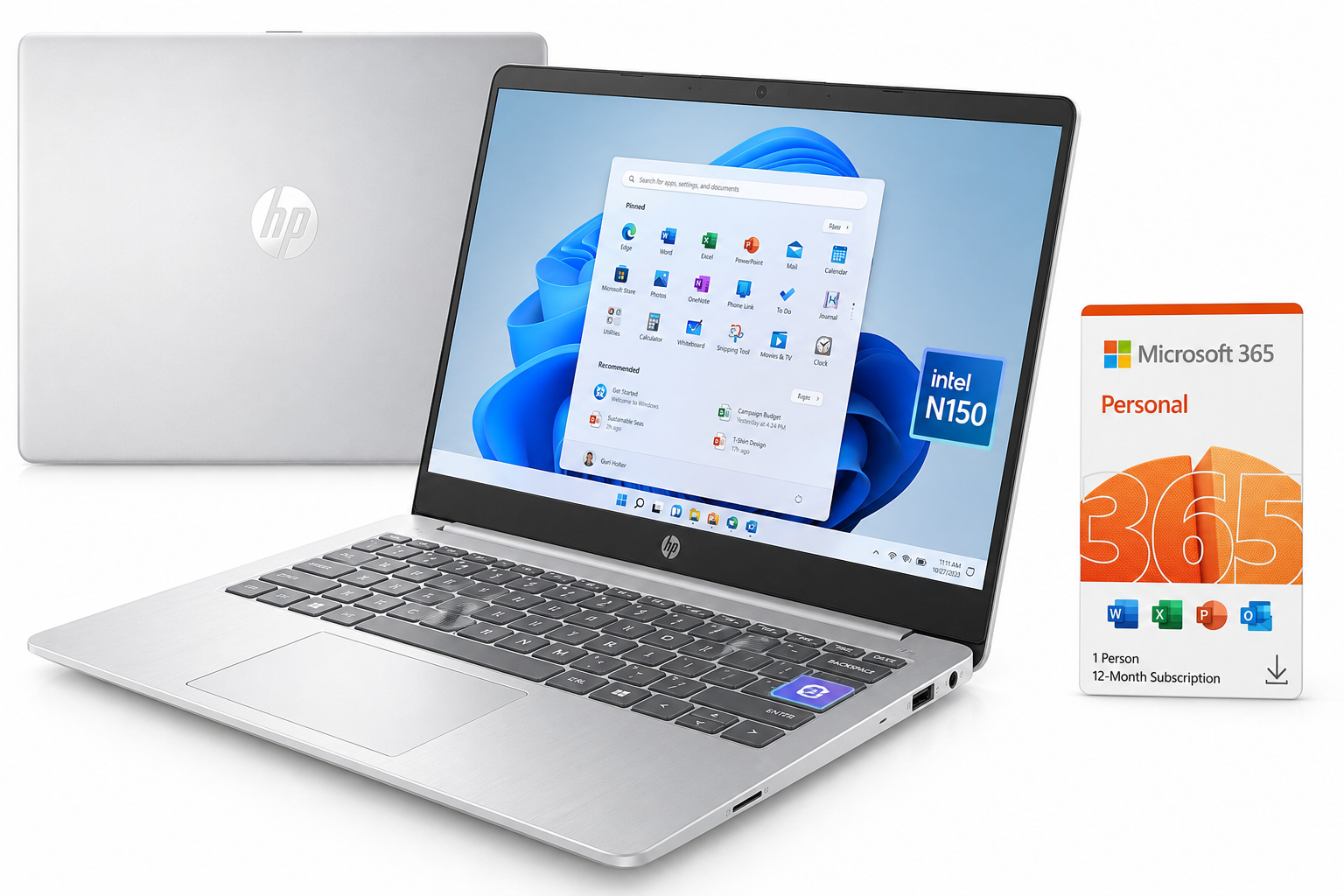
What This Product Is
The HP New Everyday Slim Laptop • Microsoft Office 365 Included • Intel N150 • 128GB SSD • Long Battery Life • Copilot AI • Windows 11 is an entry‑level Windows notebook aimed at students, home users, and light productivity workloads.
Typical configurations of this family include:
- Display: 14‑inch HD (1366 × 768) panel
- Processor: Intel Processor N150 (4 cores, up to around 3.6 GHz boost)
- Memory: 4GB or 8GB RAM depending on configuration
- Storage: 128GB solid‑state storage (UFS or SSD, depending on sub‑model)
- Operating System: Windows 11 (often Home or Home in S Mode)
- AI & Software: Dedicated Copilot AI key and 1‑year Microsoft Office 365 / Microsoft 365 subscription
- Design: Slim, lightweight 14‑inch chassis optimized for portability
- Battery: Long‑lasting all‑day battery with fast‑charge support (varies slightly by region and SKU)
The system is designed to be a straightforward everyday laptop: portable, easy to set up, and ready for email, web browsing, video streaming, and document work right out of the box.
You can view the product directly on Amazon here:
Why It Matters
The HP New Everyday Slim Laptop sits in a growing category of budget Windows 11 devices powered by Intel’s latest N‑series processors and tightly integrated with Microsoft’s AI‑driven Copilot features.
For many users, particularly:
- students,
- remote learners,
- casual home users,
- office workers with basic workloads,
a high‑end CPU or large SSD is less critical than reliability, portability, and a familiar Windows + Office experience. This model attempts to deliver exactly that: a light, compact laptop, with:
- a modern Intel N150 processor for smooth everyday performance,
- integrated Copilot AI to assist with writing, summarizing, and quick research tasks,
- and a bundled Office 365 subscription so users can start working immediately.
In short, it matters because it offers an all‑in‑one starter system for productivity and schoolwork, with AI and cloud services now baked into the experience.
Key Advantages
1. Modern Intel N150 Processor for Everyday Tasks
The Intel Processor N150 is part of Intel’s more recent efficiency‑focused lineup. It’s a quad‑core chip designed to deliver better performance and responsiveness than older entry‑level Celeron and Pentium processors, especially in:
- web browsing with multiple tabs,
- office productivity (Word, Excel, PowerPoint),
- video streaming and casual media,
- light multitasking such as email + browser + music.
For typical school and office workloads, the N150 should feel snappier and more responsive than past low‑end CPUs, particularly when combined with solid‑state storage.
2. Slim, Lightweight 14‑Inch Design
The 14‑inch form factor hits a sweet spot between portability and usability:
- Compact footprint: Easy to slip into a backpack or messenger bag.
- Comfortable screen size: Larger than 11–13" ultra‑budget options, making spreadsheets, documents, and web pages easier to read.
- Slim profile: The “Slim Laptop” branding reflects a chassis that’s significantly thinner and lighter than older 15.6" budget notebooks.
This makes it a practical everyday carry for:
- commuting students,
- workers moving between conference rooms or coworking spaces,
- frequent travelers who still want a full Windows machine.
3. Solid‑State Storage for Faster Responsiveness
The inclusion of a 128GB SSD (or UFS‑based solid storage) is important at this price tier:
- Faster boot and wake‑from‑sleep times vs. HDDs.
- Quicker app launches and system updates.
- Overall smoother experience than traditional spinning drives.
For basic productivity, this is more impactful to perceived speed than raw CPU power, making the system feel more modern and less sluggish than comparable HDD‑based alternatives.
4. Windows 11 with Copilot AI Integration
This laptop is built around Windows 11 and Copilot AI integration. With a dedicated Copilot key or easy access in the OS, you can:
- Draft emails, summaries, and reports more quickly.
- Ask natural‑language questions instead of hunting through menus or search results.
- Get quick explanations of concepts while studying or researching.
For students and knowledge workers, this can shorten the time spent on routine tasks and help bridge gaps in understanding without constantly switching to separate apps or browser tabs.
5. Microsoft Office 365 Included
A notable value point is bundled Microsoft Office 365 / Microsoft 365 for a limited term (often 1 year, depending on the exact package). This means out of the box you get:
- Word, Excel, PowerPoint, and Outlook,
- OneDrive cloud storage integration,
- Access to the same tools used in most schools and workplaces.
This eliminates the need to immediately subscribe separately and ensures that documents are compatible with industry‑standard formats from day one.
6. Long Battery Life for All‑Day Use
Although exact runtime varies by configuration and usage, the design is clearly oriented toward all‑day battery life:
- Low‑power Intel N‑series processor.
- HD resolution panel (more efficient than higher‑resolution screens).
- Solid‑state storage.
For typical workflows—Wi‑Fi on, web browsing, and document editing—you can generally expect comfortably extended untethered use, often enough to cover a full school or work day with moderate brightness if you manage your power settings well.
Key Limitations
1. 4GB RAM Configurations Are Tight for Modern Windows
Some versions of this laptop ship with only 4GB of RAM, which is the minimum for Windows 11 but not ideal for multitasking. On such configurations you may notice:
- Slower performance with many browser tabs.
- Occasional stuttering when switching between multiple applications.
- Heavier reliance on swap (using storage as temporary memory), which can degrade responsiveness.
If available, an 8GB configuration is strongly recommended for smoother long‑term use.
2. Limited 128GB Storage
The 128GB SSD is a welcome upgrade over mechanical hard drives but is still modest in capacity once you account for:
- Windows 11 system files,
- Office and basic applications,
- system updates and restore points.
After setup, many users may find they have far less usable space left than expected, which can become restrictive if you:
- install larger applications or games,
- work with large media libraries,
- store lots of offline files instead of relying on cloud storage.
To mitigate this, consider:
- offloading large files to OneDrive or another cloud service,
- using an external USB drive or SD card for bulk storage,
- uninstalling unneeded pre‑installed apps.
3. Basic HD Display
The 14‑inch display is typically HD (1366 × 768) rather than Full HD. While acceptable for everyday tasks, this has trade‑offs:
- Less screen real estate for multitasking.
- Lower pixel density, which can make text and fine UI elements less crisp than on 1080p panels.
For basic schoolwork, browsing, and video streaming, it is adequate, but users accustomed to high‑resolution panels may find it noticeably less sharp.
4. Not Suited for Heavy Creative or Gaming Workloads
With an Intel N150 CPU, integrated graphics, and modest RAM, this HP is not intended for:
- high‑end gaming or eSports at demanding settings,
- 4K video editing or advanced creative workflows,
- large‑scale data analysis or virtualization.
It’s designed as a light‑duty productivity and media machine, not a workstation or gaming rig.
Who It’s For
This laptop is a good fit if you:
- Need an affordable everyday computer for web, email, and office tasks.
- Are a student who mainly uses browsers, note‑taking apps, and Office, and appreciates portability.
- Work primarily in the cloud, using services like OneDrive, Google Drive, or browser‑based tools.
- Want Copilot AI built in to assist with writing, summarization, and quick research.
- Prefer a pre‑configured Windows + Office solution that works out of the box without extra subscriptions on day one.
In these scenarios, the balance of price, portability, and AI‑enabled productivity features makes the HP New Everyday Slim Laptop a sensible starter or secondary PC.
Who Should Skip It
You may want to look elsewhere if you:
- Run many apps and browser tabs at once and need consistently smooth multitasking; you’ll likely want at least 8–16GB RAM and a stronger CPU.
- Work with large media files (Photoshop, video editing, 3D modeling) where CPU, GPU, and storage capacity are critical.
- Game seriously on your laptop, even at modest settings; an entry‑level or mid‑range dedicated GPU will serve you better.
- Need ample local storage for offline media libraries, large datasets, or multiple heavy applications; 128GB can feel cramped quickly.
- Care strongly about screen quality, color accuracy, or high resolution for creative work or entertainment; a 1080p IPS panel or higher would be preferable.
Power users, content creators, and gamers will be better served by mid‑range systems with more RAM, larger SSDs, and stronger processors or dedicated graphics.
Final Recommendation
The HP New Everyday Slim Laptop • Microsoft Office 365 Included • Intel N150 • 128GB SSD • Long Battery Life • Copilot AI • Windows 11 is a thoughtfully configured entry‑level Windows notebook. It stands out in its class by combining:
- a modern Intel N150 processor,
- slim, lightweight 14‑inch design,
- solid‑state storage for responsive performance,
- built‑in Copilot AI features,
- and an included Office 365 subscription.
Its main compromises—4GB RAM on some models, 128GB storage, and an HD panel—are typical at this tier and primarily affect users who expect heavy multitasking, large local storage, or premium display quality.
If your needs are centered on browsing, documents, email, streaming, and light school or office work, and you’re comfortable managing storage with cloud services or external drives, this HP laptop is a practical, AI‑ready everyday machine that delivers solid value. For heavier workloads, look for configurations with more RAM and storage, or step up to a more powerful mid‑range notebook.
For more details or to check configuration options, you can visit the product page here: